

Getting started
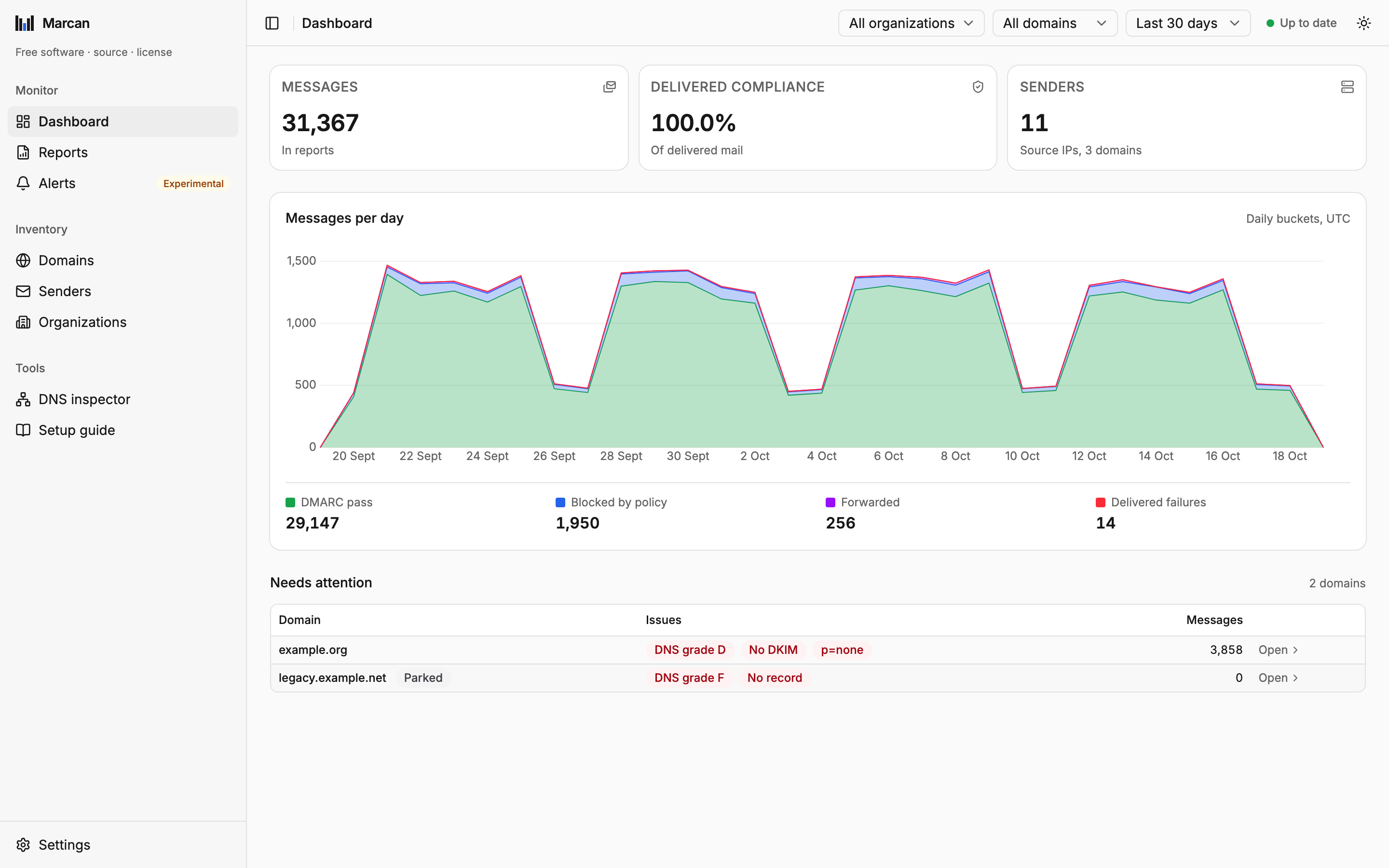
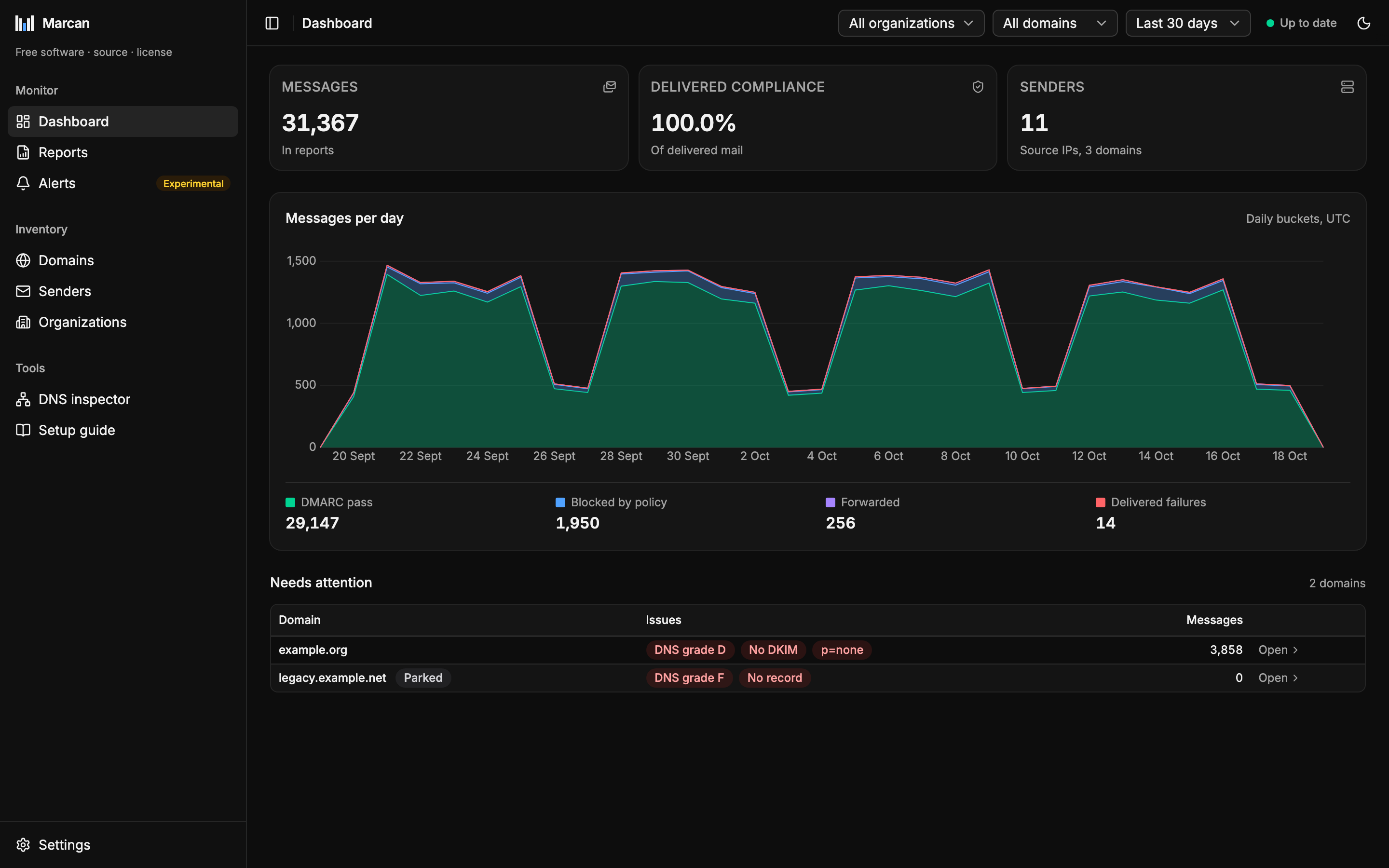
Marcan reads DMARC aggregate reports from an IMAP mailbox, checks your domains' SPF, DKIM and DMARC records live, and shows the results in a web dashboard. It is one Rust binary with the UI built in, and it keeps everything in one SQLite file.
Two ways to run it
Try it on your own machine
To look around once, with Docker:
docker run --rm -p 127.0.0.1:8080:8080 -v marcan-data:/data ghcr.io/mavgit1/marcan:latestOpen http://localhost:8080. The 127.0.0.1: in -p keeps Marcan reachable from this machine only; to reach it from elsewhere, run it behind a reverse proxy as below, never by dropping the 127.0.0.1:. Stop it with Ctrl-C, and remove its data with docker volume rm marcan-data when you are done.
This is for trying it out, not for keeping: reports keep arriving every day, so Marcan is meant to run all the time.
Run it permanently
On a server, behind a reverse proxy that handles the login and HTTPS. Marcan has no accounts of its own: you bring the login, from a shared password to single sign-on with two-factor authentication (see Security model).
Deployment has ready-made Docker Compose setups. The default needs a server with Docker, a DNS name and five minutes. They keep the database in a named Docker volume; a directory on the host works too, but is slower on Docker Desktop and some NAS filesystems.
What you need
- A mailbox for the reports, reachable over IMAP with TLS (port 993) or STARTTLS (port 143) and a username and password. A dedicated mailbox, or an app password, is best. Microsoft 365 mailboxes cannot be used yet (see Limitations).
- Access to your domains' DNS, for the records below.
Point your domains at Marcan
Receivers send their reports to the address in each domain's DMARC record. Getting them to Marcan's mailbox takes up to two DNS records. The setup checks both live and shows the exact values to publish.
1. On each domain you monitor: the DMARC record names the report address in rua=.
_dmarc.example.com. TXT "v=DMARC1; p=none; rua=mailto:dmarc@reports.example.net"If the domain already has a DMARC record, add the address to its rua= list; keep everything else as it is.
2. On the mailbox's domain, once: permission to receive reports for other domains. This is needed only when a monitored domain is outside the mailbox's own domain, here example.com sending reports to reports.example.net. Without it, receivers drop the reports silently (RFC 7489 §7.1). One wildcard record covers every domain:
*._report._dmarc.reports.example.net. TXT "v=DMARC1"If each domain forwards from its own report address instead, only the first record is needed. See Mailbox & reporting setup for both ways.
First start
Until the setup is finished or skipped, Marcan opens it at /setup. It shows one step at a time, with Back and Continue, in a fixed order; the list of steps at the top marks the ones done, the one on screen and the ones to come, and a step you reached can be opened from it again.
- Organization: the group new domains land in. Rename it, or keep "Default" and add one organization per client later.
- Mailbox: host, security (TLS or STARTTLS) and port, username, password. Test connection logs in and lists the folders; pick the one the reports land in (INBOX unless you chose another before), which shows how many messages it holds. Save and start import saves the mailbox and the folder together and starts importing the reports already in that folder; nothing is imported before.
- Import: how far the import is, for example "Importing: 1,204 reports from 14 domains so far, checking DNS", over a progress bar. You can continue at once: the import keeps running behind the next steps, and the header shows it too.
- Domains: the domains the import found, a list that grows while it runs, and a box to add more. Optional: domains also appear on their own when their first report arrives.
- Report delivery: whether every domain sends to one central address or forwards from its own.
- DMARC records: the two records above, checked live for each domain, with what each one still needs: no DMARC record, authorization missing, report address missing, or waiting for the first report.
- Done: what arrived so far and the optional next steps below. Finish setup needs the mailbox, not the first report.
While the import runs, the Domains and DMARC records steps say "Still importing": the counts there are not final yet.
Receivers send aggregate reports about once a day, so the first ones usually arrive within 24 to 48 hours. If the mailbox already holds reports, Marcan imports them at once.
You can skip the setup and open it again under Settings → Data → Run setup again. Everything it sets is also under Settings. The Setup guide (under Tools) shows the same steps, read-only, over what is set up now, followed by a short DMARC, SPF and DKIM reference.
Next steps
Optional, and all under Settings (the setup's last step lists them too):
- Turn on alerts: set up Sending, then Alerts, for an email when something about a domain changes and a digest. See Alerts.
- Send clients a monthly report: list the recipients under Client reports, then turn it on there. See Client reports.
- Running Marcan for clients? Add your operator key under License, or keep the free-software notice on. See License.
To read on:
- How it works: what Marcan does with a report, and what it decides on its own.
- Reading the dashboard: health, the attention list and outcomes.
- Backup & upgrades: why keeping the reports in the mailbox is the simplest backup.