

Reading the dashboard
The scope filter at the top narrows a page to an organization, a domain and a time range, as far as the page takes them:
- The dashboard, Reports, Alerts and Senders take all three.
- Domains, a domain's page and a sender's page take the organization and the time range.
- Organizations and an organization's page take the time range only; on an organization's page, the organization and domain filters open another page.
- Settings, the tools (such as the DNS inspector), a single report and the setup take none.
Exports follow the same scope. The scope is part of the page address (for example ?org=2&since=7d), so a reload or a bookmark opens the page with the same scope, and the browser's back button goes back to the scope you had.
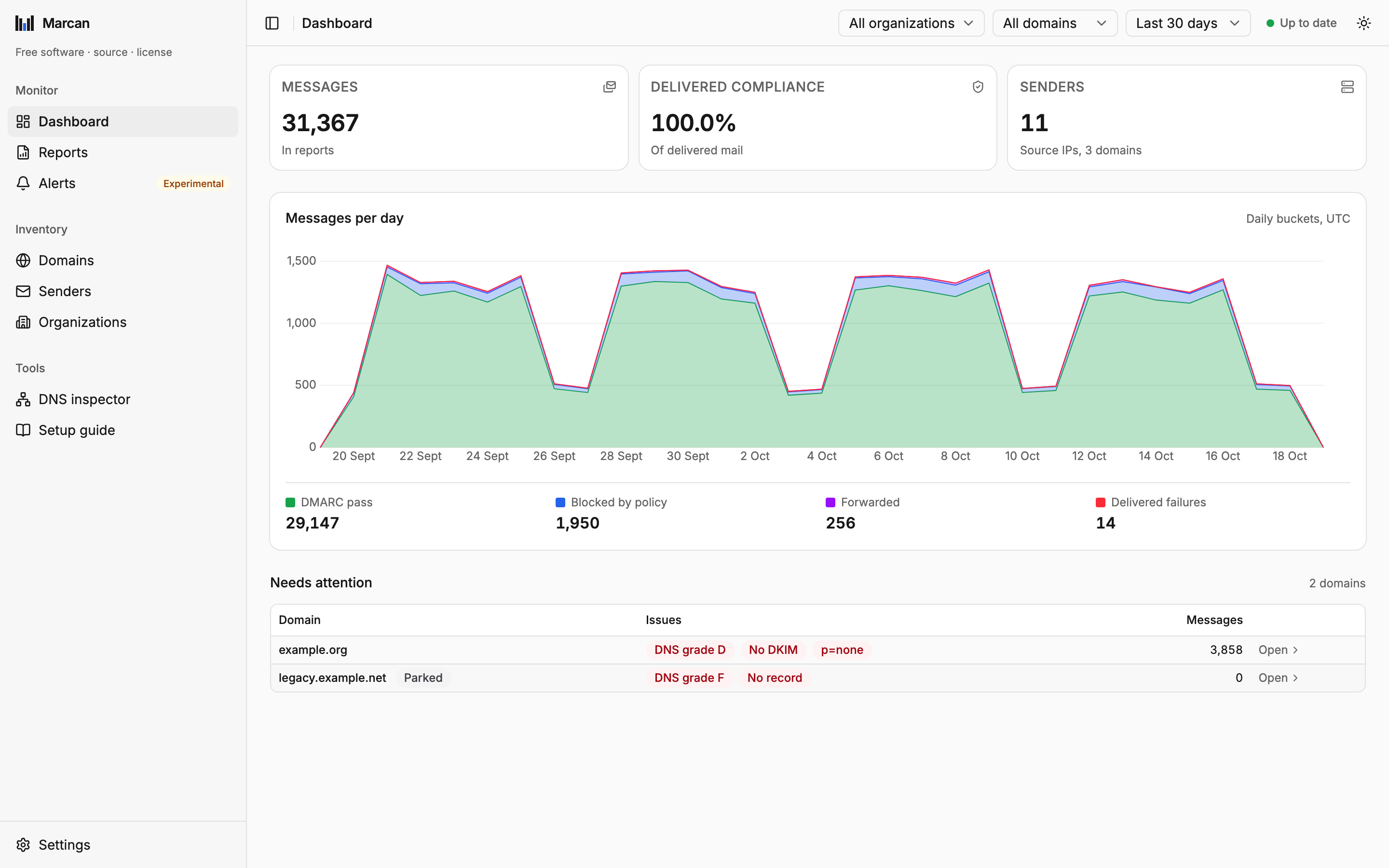
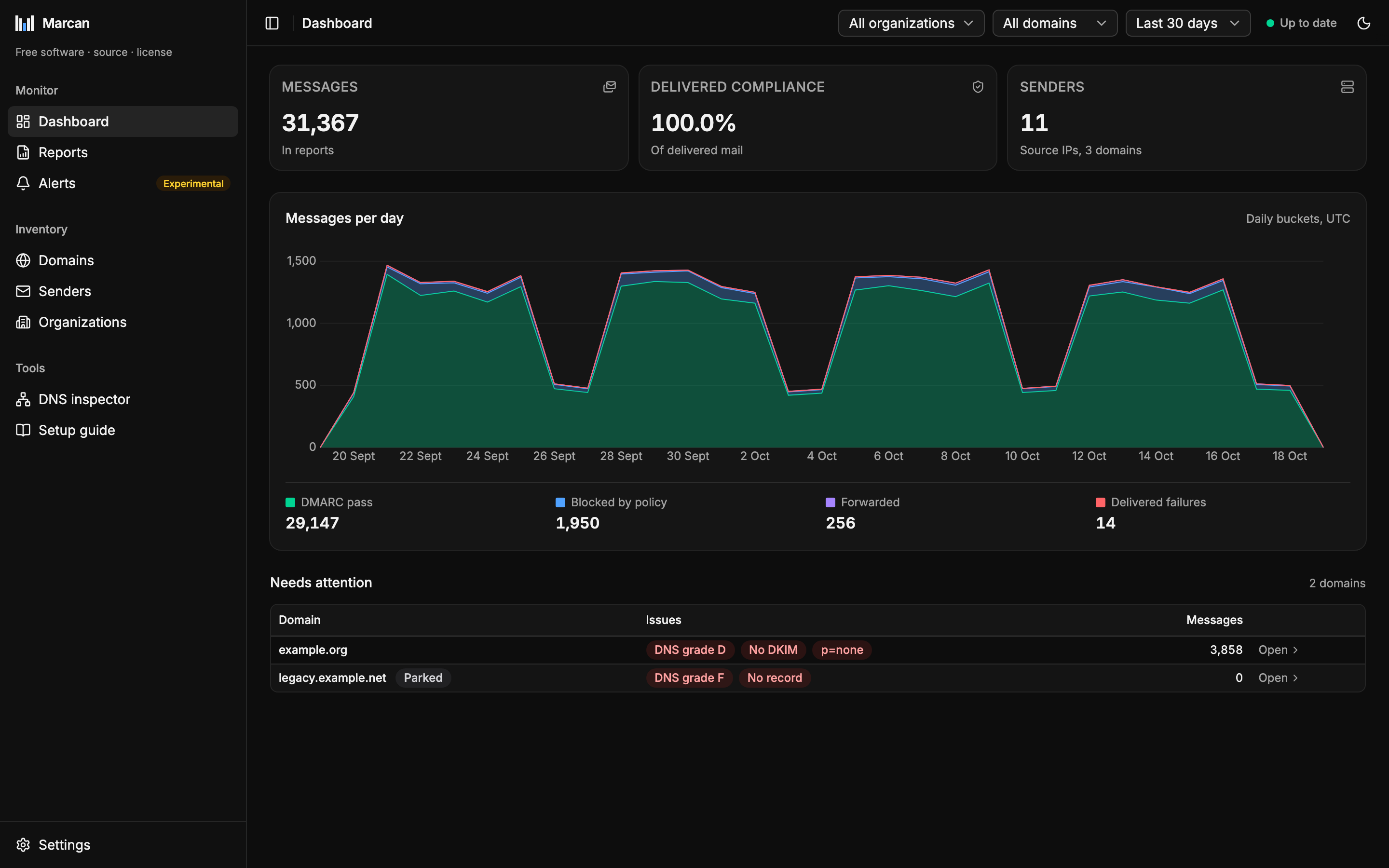
Pages
| Page | What it shows |
|---|---|
| Dashboard | Messages, delivered compliance and senders with their change against the previous range; volume over time with the four outcomes; the attention list. |
| Reports | Every imported report, with its records. |
| Alerts | Every change Marcan found about your domains, newest first. |
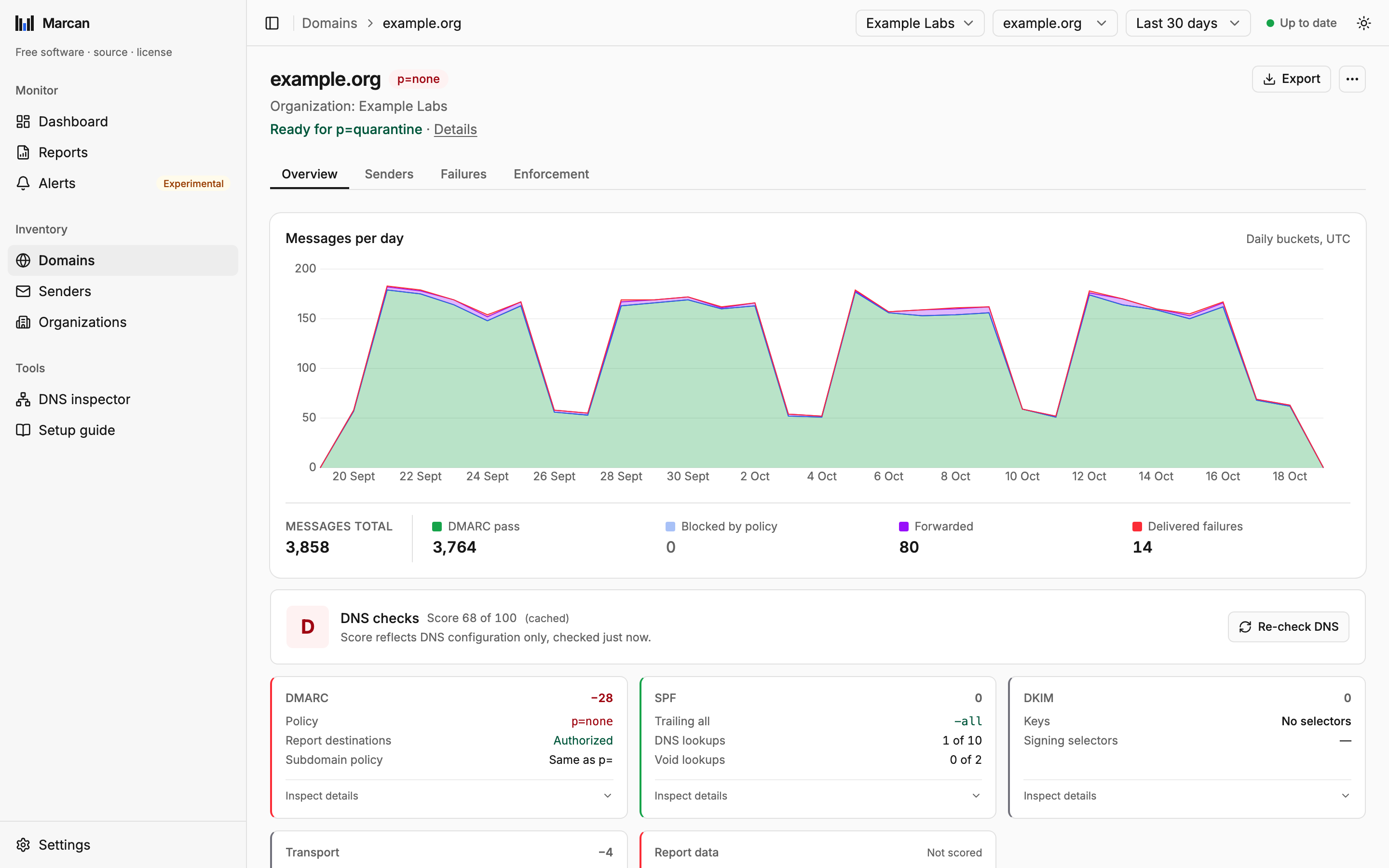
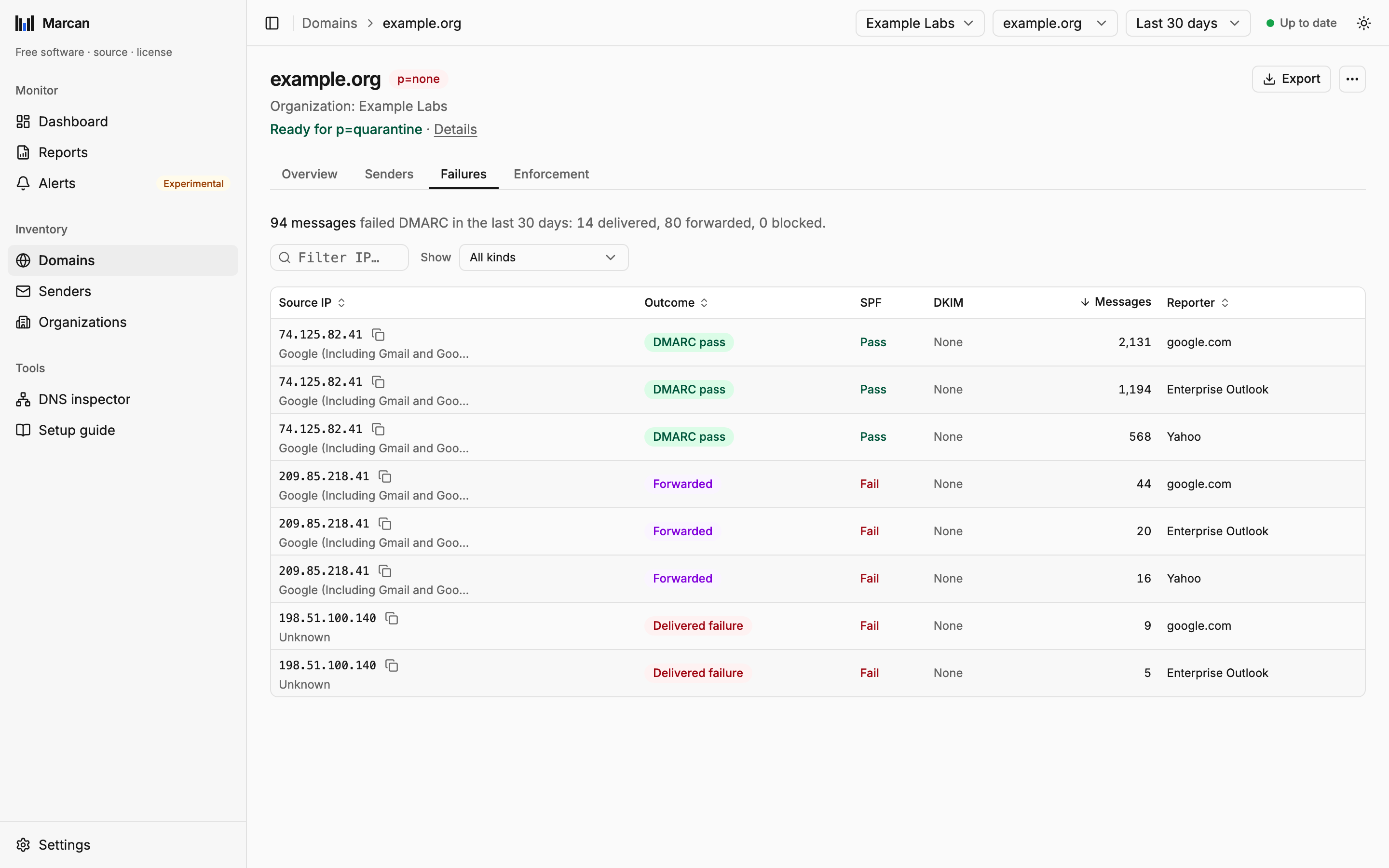
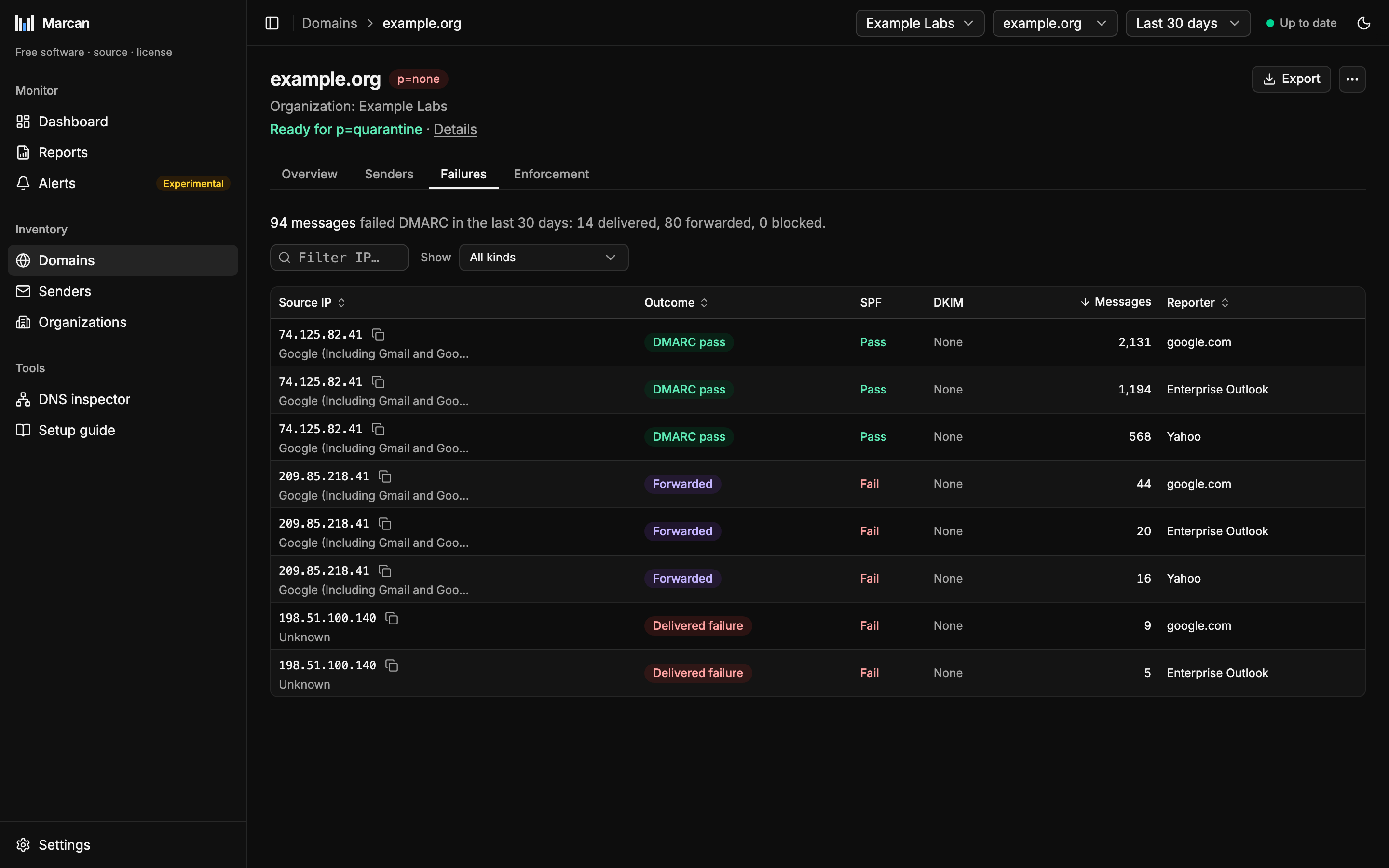
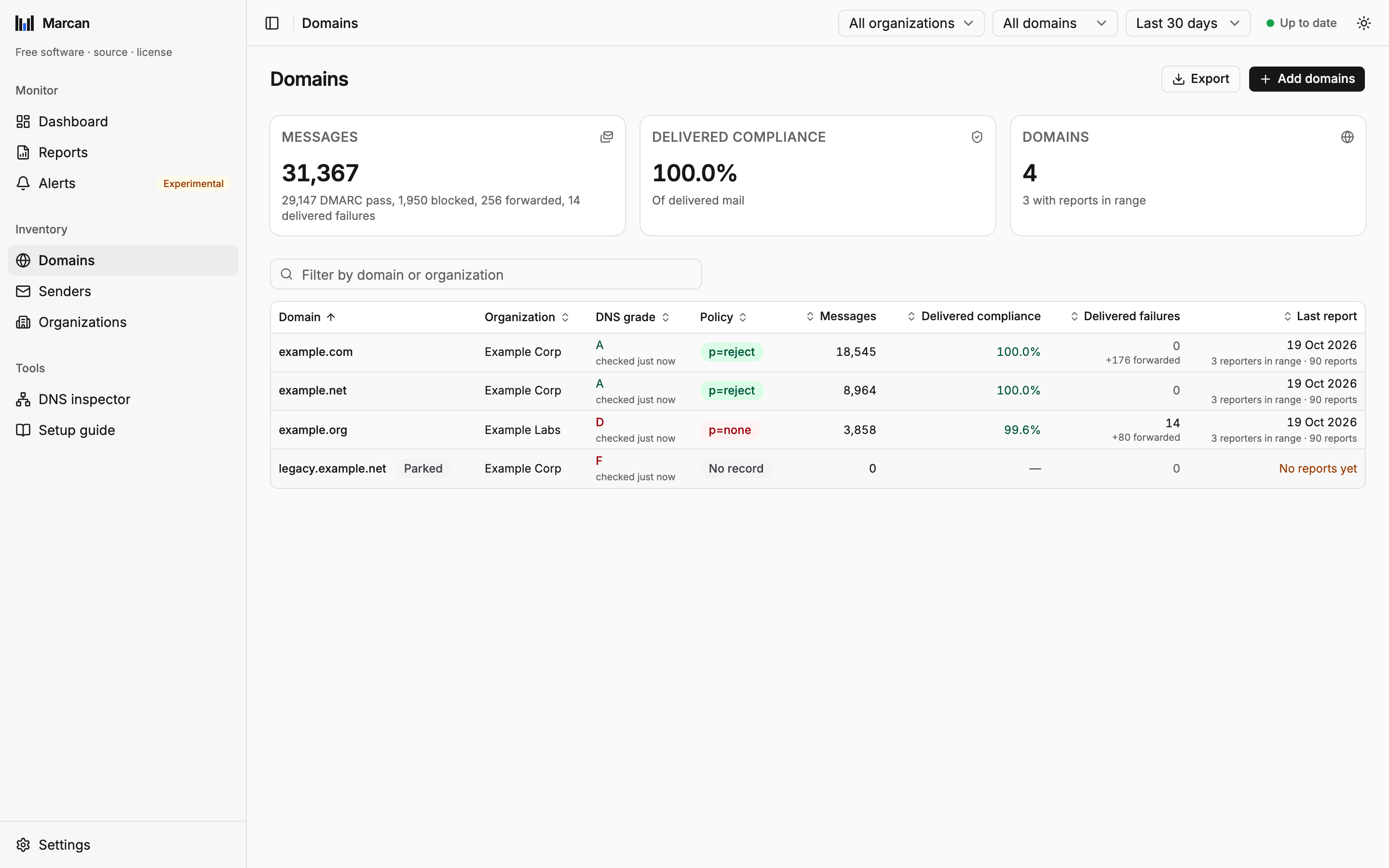
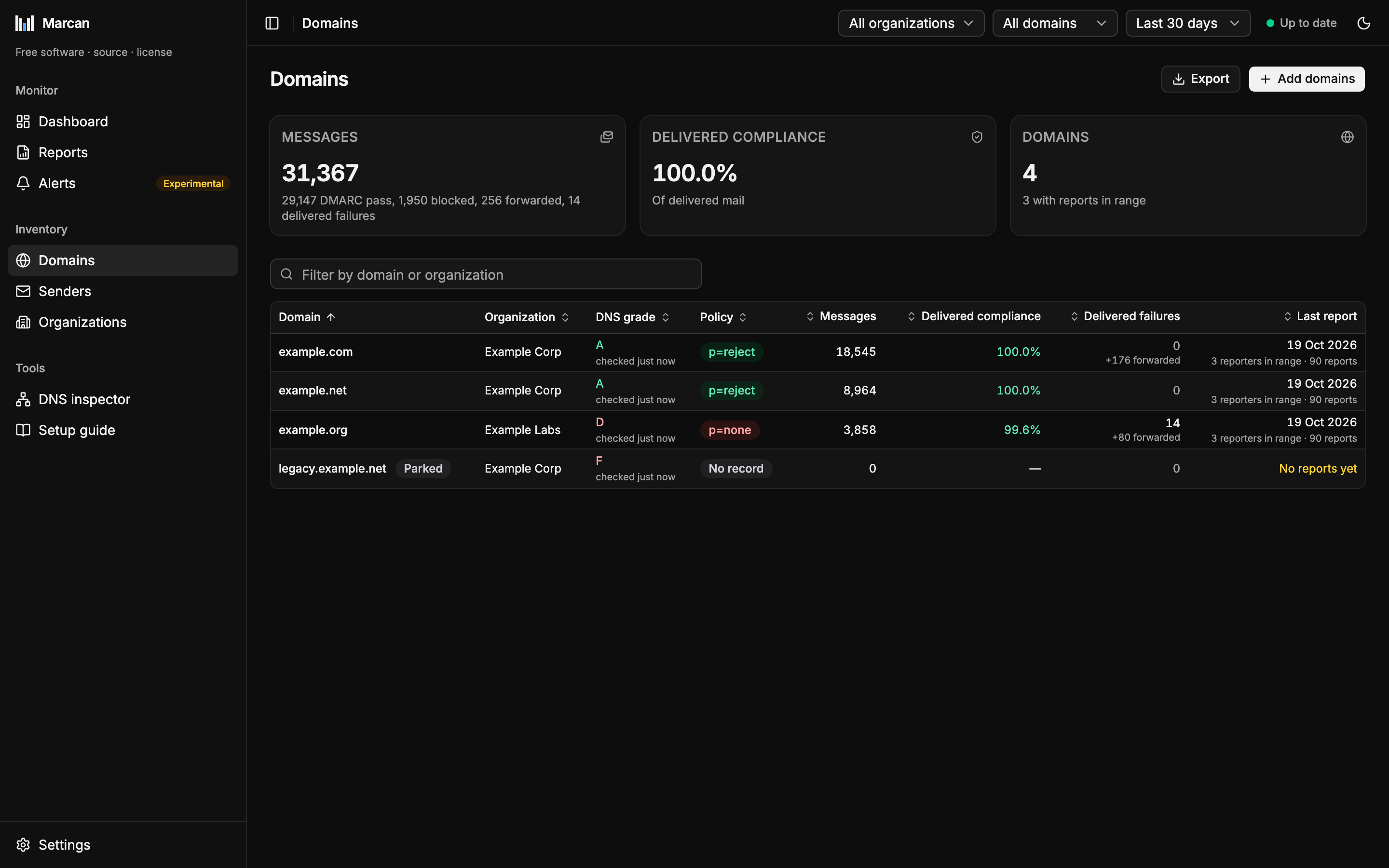
| Domains | Each domain's DNS grade, policy, messages, delivered compliance, delivered failures and last report, 50 at a time; the box above the list filters by domain or organization name (see The domain list). The policy is the one in the domain's DMARC record, as the last DNS check found it; a new domain is checked within about a minute. Before that it reads Not checked yet, and without a DMARC record No record. The policy in a report is only what one receiver saw at the time (receivers disagree and lag behind DNS), so it is shown with that report and never as the domain's. A domain's page has an Overview tab (messages per day with the four outcomes and their counts for the time range under the chart, DNS, recent changes), a Senders tab, a Failures tab (how many messages failed DMARC in the time range and what became of them, then every record that failed SPF or DKIM; a Show list ticks the kinds to include, each with its message count in the time range: delivered failures, forwarded, blocked by policy, and mail that passed via DKIM only or via SPF only, all ticked by default) and an Enforcement tab (whether the next policy step is safe, and why). |
| Senders | Every sending IP with its identity, volume, failed mail and pass rate. Failed means failed DMARC and delivered anyway or blocked by policy; forwarded mail is counted apart. A sender's page shows each domain it sent for, and where a domain's SPF record lists it. |
| Organizations | Domains grouped by organization: for each, its domains, reports and messages, a bar of its mail by outcome, how many of its domains need attention and the worst DNS grade. |
| DNS inspector | Live checks for any domain, monitored or not. |
| Setup guide | The setup's steps, read-only, over what is set up now (each domain's DMARC record and what it still needs among them), and a short DMARC, SPF and DKIM reference. |
The long lists (reports, alerts, domains, senders, a domain's failures) are paged, 50 rows at a time with Previous and Next. A list scrolls with the page, never in a box of its own, and on a wide window its column headers stay in view under the header.
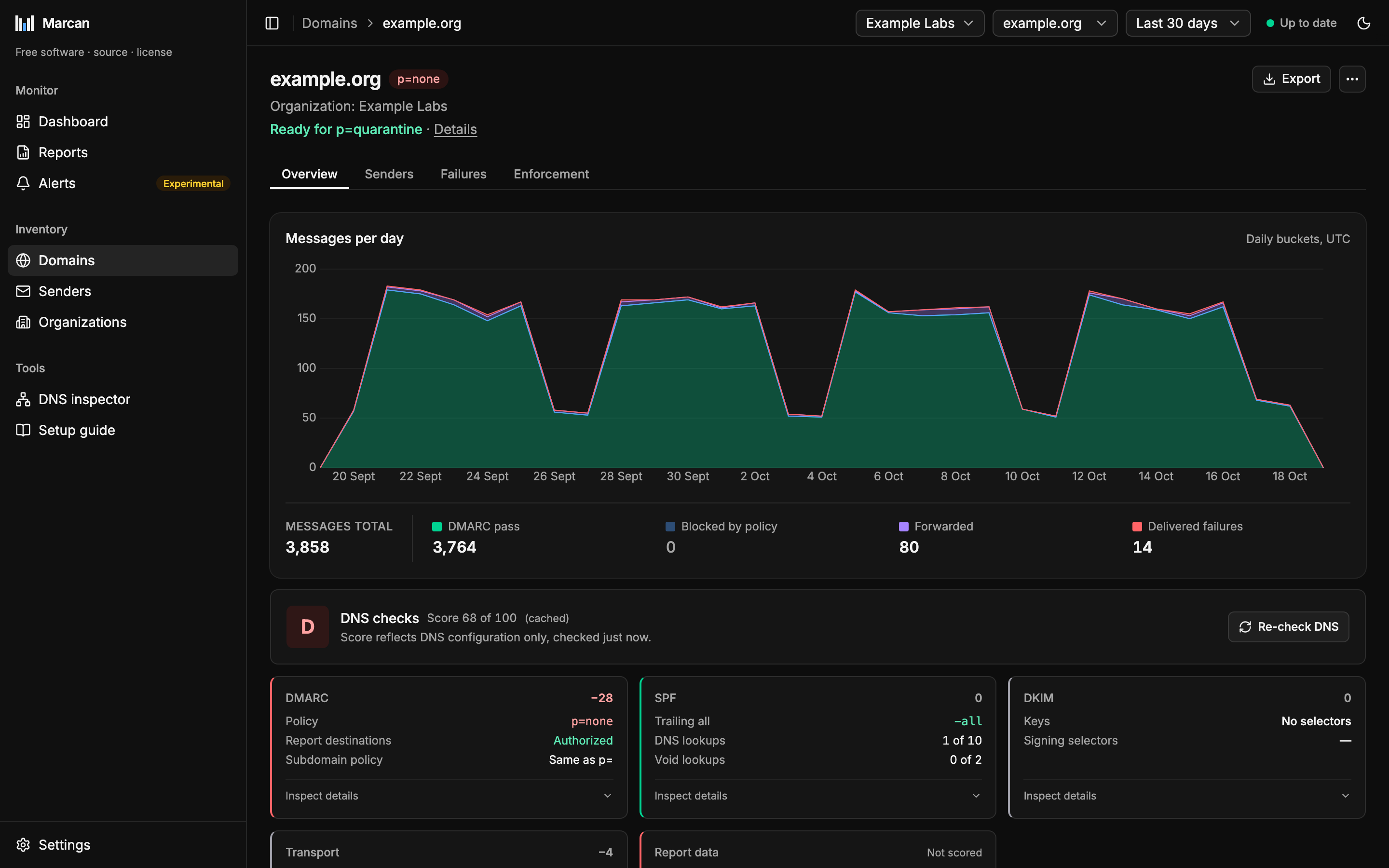
A domain's page puts its mail and its DNS side by side:
The Failures tab lists every record that failed SPF or DKIM, with what the receiver did with it. Its first line counts every message that failed DMARC in the range, forwarded mail included, and splits it into delivered, forwarded and blocked; everywhere else a bare "failed" count leaves forwarded mail out:
Health
Health answers one question: is the delivered mail authentic? It is based on delivered compliance: the share of delivered mail that passed DMARC. Mail the receiver blocked does not count against it.
| Health | Meaning |
|---|---|
| Protected | 99% or more of delivered mail passed DMARC. |
| Warning | 95% to 99%. |
| Critical | Below 95%. |
| All blocked | Mail was seen, nothing was delivered: every message failed DMARC and was blocked by policy (or forwarded). Delivered mail that passed, with every failure blocked, is Protected. |
| No data | No reports in the selected time range. |
A report's page shows its health as a badge. The dashboard shows the delivered compliance it is based on, and the attention list names the domains whose delivered failures reach a warning or failing rate.
Health says nothing about DNS. A domain can be Protected and still have a poor DNS grade, for example with p=none. The attention list brings both together.
When to move to the next policy step
A domain's page says, under its name, whether the domain is ready for the next DMARC policy: from p=none to p=quarantine, then to p=reject. A domain is ready when, over the last 30 days:
- at least 200 messages were reported under its current policy, so a domain with a handful of messages is never called ready,
- reports under its current policy cover all 30 days,
- at least 95% of the mail was evaluated under its current policy, and
- 99% or more of its delivered mail passed DMARC (delivered compliance, as for health: forwarded and blocked mail do not count against it).
The current policy is the p= of the DMARC record in DNS. Each report says which policy the receiver applied, and only mail evaluated under the current one counts toward the 200 messages and the 30 days: the evidence that a domain is ready for p=quarantine says nothing about p=reject. So after you publish p=quarantine, the verdict for p=reject starts again at 0 of 30 days and waits for reports under the new policy. Some receivers keep applying the old policy for a while (they read DNS before the change, or report late); as long as that is under 5% of the mail it does not hold the verdict back. Delivered compliance counts all of the mail, since whether a message passes DMARC does not depend on the policy applied. For a domain at p=none all reports carry p=none, so all of its mail counts.
The 30 days are always the last 30, whatever time range the page shows, so the verdict does not change with the range. When a domain is not ready, the Enforcement tab gives one reason, the most fundamental first: too little mail under the current policy (how many of the 200), not enough history under it (how many of the 30 days its reports cover so far), receivers still applying the old policy (to how much of the mail), or delivered compliance below 99%.
A policy with pct= below 100 applies to only part of the failing mail: the page asks you to raise it to 100 before the next step. p=reject at 100% reads Enforced: there is nothing left to tighten. Parked domains and domains without a published policy get no readiness line; a parked domain should publish p=reject straight away.
The line under the name is the verdict alone (Ready for p=quarantine, Not ready for p=reject yet, Enforced) with a Details link to the domain's Enforcement tab, which gives the reason and shows what the verdict was based on. Opening it checks nothing new; it shows the figures the verdict used:
- The verdict in one sentence, with the reason (including Enforced, and why a domain without a policy is not judged). A domain at
p=quarantinethat is ready forp=rejectalso gets a line with how many messages were blocked by policy in the 30 days, sincep=rejectrefuses that mail instead of sending it to spam. - What the verdict is based on: the current policy (the DMARC record in DNS; a domain without one is not judged), and each rule as what the last 30 days showed against what it needs, met or not: messages ("140 under p=quarantine, needs 200"), report history ("0 of 30 days under p=quarantine"), the mail evaluated under the current policy ("88.0%, needs 95%", with how much was still evaluated under the old one when it is below) and delivered compliance ("98.2%, needs 99%"). The verdict names only the first unmet rule as the reason; the list shows all four.
- Who would be affected: the senders whose mail failed DMARC in the window, with how many messages failed, the largest first. Failed means delivered anyway or blocked by policy, the same count as on the Senders page. Forwarded mail is left out, since receivers deliver it when they trust the forwarder; a line says how much there was.
- What to publish: the
_dmarcTXT record as the last DNS check found it, and the next records in order (p=quarantine, thenp=reject, each at the fullpct), written into your current record so every other tag stays as it is, each with a copy button. When the domain is ready, the record it is ready for stands out with a Copy record button; the others are smaller. When it is not ready yet, the steps read Once ready and none stands out. A step after the first waits until the domain is ready again. An enforced domain shows only its current record.
A parked domain (marked in the menu at the top right of its page, or with Mark as parked beside a "too little mail" verdict) has its own layout: Publish p=reject now with that record first, a new v=DMARC1; p=reject; rua=mailto:<report address> when the domain has no DMARC record yet (Enforced once it is published), then every message sent in its name in the 30 days, failing or not, since a parked domain should send none.
The attention list
One row per domain with every open issue, ranked by severity rather than by mail volume, so a problem on a small domain is not hidden behind a large one. The dashboard shows the first 10; with more, a line says how many more need attention and opens the Domains page sorted by DNS grade, worst first.
| Issue | When it is raised |
|---|---|
delivered_failures | Mail failed DMARC and was still delivered, at a warning or failing rate. |
dns_grade | The DNS grade fails, or there is a critical DNS finding. |
not_enforcing | The policy is p=none: spoofed mail would be delivered. |
parked_not_rejecting | A parked domain does not publish p=reject. |
parked_passing_mail | Mail passed DMARC for a parked domain: something sends as it. |
dkim_coverage | Too little of the passing mail is signed by the domain itself. |
reports_stopped | Reports arrived before and then stopped: none for the days of the domain warning (Settings → Mailbox, 14 by default). |
A parked domain's parked_not_rejecting badge names the policy it has, or No record. The same issue names appear in the issues column of domains.csv (see Exports).
DKIM coverage
The share of DMARC-passing mail that is signed by the domain itself. The rest passed on SPF alone, unsigned or signed only by another domain, and SPF fails as soon as mail is forwarded. Coverage is judged like every other share: from 99% fine, from 95% worth a look, below that a problem. It is shown per domain and per sending IP.
Outcomes
Counts and charts split mail into four outcomes: DMARC pass, Blocked by policy, Forwarded and Delivered failures. They always appear as the same legend, the four with their message counts: under every chart of messages per day (on the dashboard with the change against the previous range), under a report's health and in each domain opened on a sender's page. The Organizations list shows them as one bar per organization, with the counts in its tooltips. See What happened to the mail.
The status in the header
The header shows the state of the import: when the mailbox was last polled, whether the last poll failed, how many reports were skipped, and whether reports have stopped arriving for longer than the mailbox warning (Settings → Mailbox → Report arrival). It also has Sync now.